Close Menu

    اشترك في تحديثات

    احصل على أحدث الأخبار الإبداعية من FooBar حول الفن والتصميم والأعمال التجارية.

    ما هو الأكثر إثارة؟

    قرض الأجور مقابل قرض شخصي: ما هو الفرق؟

    28 سبتمبر 2026

    محول شحن لاسلكي للسيارات في الهند

    28 سبتمبر 2026

    أفضل 25 مكانًا للزيارة في سنغافورة: معالم ترفيهية مجانية ومميزة

    23 سبتمبر 2026
    فيسبوك X (Twitter) الانستغرام بينتيريست
    أخبار شائعة
    • قرض الأجور مقابل قرض شخصي: ما هو الفرق؟
    • محول شحن لاسلكي للسيارات في الهند
    • أفضل 25 مكانًا للزيارة في سنغافورة: معالم ترفيهية مجانية ومميزة
    • علاج قشرة الرأس في المنزل: دليل خطوة بخطوة سهل
    • قميص بزي الكيمونو للرجال: اختر أفضل، ارتدِ أفضل
    • تداول السيارات المستعملة في الهند: القروض والمدفوعات الشهرية المؤجلة والأهلية
    • تتبع موقع الحافلة: كيفية تتبع الحافلة مباشرةً في الهند
    • تذكرة سرفاى وورلد بانكوك: السعر وأنواع التذاكر ودليل الحجز
    فيسبوك X (Twitter) الانستغرام بينتيريست
    ThecommonjournalThecommonjournal
    Thecommonjournal
    • المنزل
    • أسلوب الحياة
    • الأزياء
    • السفر
    • الجمال
    • التكنولوجيا
    ThecommonjournalThecommonjournal
    الرئيسية»التكنولوجيا»OnePlus 6T WiFi Calling Guide for Airtel, Jio & More
    التكنولوجيا

    OnePlus 6T WiFi Calling Guide for Airtel, Jio & More

    userBy المستخدمسبتمبر 16, 2026لا توجد تعليقات0 زيارة
    فيسبوك تويتر بينتيريست لينكدإن واتساب رديت Tumblr البريد الإلكتروني
    oneplus 6t wifi calling
    شاركها
    فيسبوك تويتر لينكدإن بينتيريست البريد الإلكتروني

    Oneplus 6t wifi calling can be useful when indoor mobile coverage is weak, but availability depends on more than the phone. Carrier support, SIM setup, software version and regional configuration can affect the feature.

    Table of Contents

    Toggle
    • Does the OnePlus 6T support Wi-Fi Calling?
    • How to enable Wi-Fi Calling on OnePlus 6T
    • Airtel, Jio and other carrier support
    • What to do when the Wi-Fi Calling option is missing
    • OnePlus 6T Wi-Fi Calling not working
    • Wi-Fi Calling, VoWiFi and VoLTE explained
    • Conclusion

    Does the OnePlus 6T support Wi-Fi Calling?

    Yes, the OnePlus 6T has supported Wi-Fi Calling when the carrier and software configuration enable it. OnePlus lists dual-SIM and LTE connectivity, while noting that network capabilities depend on carrier support. OnePlus later integrated Jio VoWiFi support in OxygenOS 10.3.3 for India.

    Airtel included the OnePlus 6T among supported OnePlus models; Jio support arrived through the 10.3.3 update. The setting can still vary with the installed OxygenOS build and carrier configuration.

    How to enable Wi-Fi Calling on OnePlus 6T

    Start with the standard settings method.

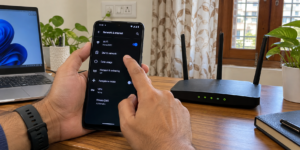
    1. Open Settings and enter Wi-Fi & Internet or the network/SIM settings area.
    2. Open SIM & network settings and select the SIM you want to use.
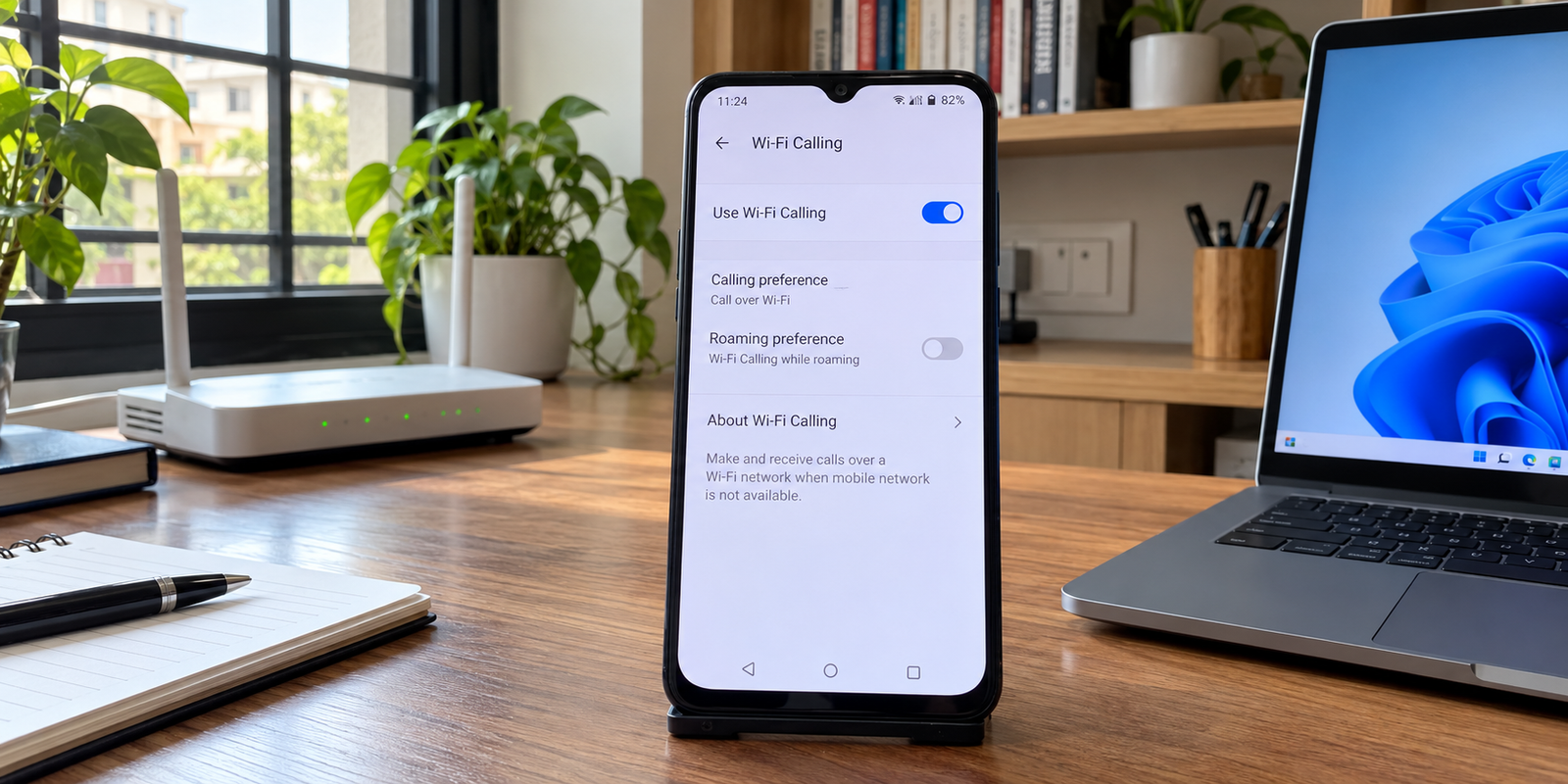
    3. Find Wi-Fi Calling and turn it on.
    4. Connect to a reliable Wi-Fi network.
    5. Keep VoLTE enabled when your carrier recommends it.

    Menu names can differ between OxygenOS versions. With dual SIM, check the relevant line. Airtel requires a compatible handset, updated software, Wi-Fi access and the feature enabled, and recommends keeping VoLTE on.
    oneplus 6t wifi calling

    Airtel, Jio and other carrier support

    For OnePlus 6T Wi-Fi Calling Airtel users, carrier eligibility is as important as the phone model. Airtel provides a handset compatibility check and a Wi-Fi Calling indicator for verification.

    Jio support was added to the OnePlus 6T through OxygenOS 10.3.3. Jio’s current guidance says users need a Wi-Fi Calling-capable handset and an active Jio tariff plan, and recommends enabling VoLTE and Wi-Fi Calling. For a specific OnePlus 6T, current handset eligibility should still be checked through Jio’s compatibility system.

    Other carriers can differ by country, region, firmware and network profile. A feature available with Airtel or Jio should not automatically be assumed to work with another operator.

    Check What to confirm
    Device OnePlus 6T and correct regional variant
    Software Supported OxygenOS configuration
    SIM Correctly provisioned by the carrier
    Carrier Wi-Fi Calling supported for this device
    Wi-Fi Stable internet connection

    oneplus 6t wifi calling

    What to do when the Wi-Fi Calling option is missing

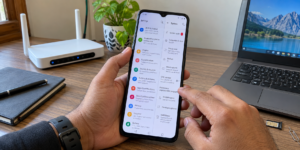
    If the switch is missing, the feature may not be exposed for your current carrier and software combination. First install available system updates and restart the phone. Then confirm the correct SIM is selected and that VoLTE is enabled.

    Next, contact the carrier and ask whether Wi-Fi Calling is provisioned for your number and handset. A capable phone does not mean every carrier configuration will expose it.

    Use standard settings and carrier verification first rather than unofficial diagnostic codes or modified carrier settings.
    oneplus 6t wifi calling

    OnePlus 6T Wi-Fi Calling not working

    When the option exists but calls do not use Wi-Fi, work through this checklist:

    • Confirm the Wi-Fi connection actually has internet access.
    • Toggle Wi-Fi Calling off and on, then restart the phone.
    • Keep VoLTE enabled.
    • Test another reliable Wi-Fi network.
    • Check for an available OxygenOS update.
    • On dual SIM, verify the intended line and its carrier support.
    • Contact the carrier if it still does not register.

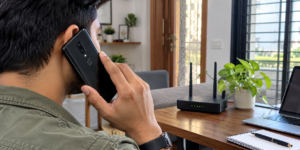
    To verify usage, look for a Wi-Fi Calling or VoWiFi indicator before or during the call. Airtel specifically says its Wi-Fi call symbol distinguishes Wi-Fi Calling from a normal cellular call. Jio says supported phones can automatically switch between Wi-Fi and mobile networks.
    oneplus 6t wifi calling

    Wi-Fi Calling, VoWiFi and VoLTE explained

    Wi-Fi Calling and VoWiFi are two names for voice calls carried over Wi-Fi. VoLTE means Voice over LTE, so the call uses the 4G LTE network instead. Wi-Fi Calling provides the Wi-Fi path, while VoLTE provides the cellular path, so carriers often recommend both.

    Conclusion

    OnePlus 6T Wi-Fi Calling can help when mobile reception is weak indoors. Separate device support from carrier support. Check the OxygenOS version, SIM configuration and operator eligibility, enable Wi-Fi Calling through normal settings, and confirm the Wi-Fi indicator during a test call. Airtel and Jio have supported the OnePlus 6T on compatible configurations, but the exact software and number should still be checked.

    Can OnePlus 6T use Wi-Fi Calling without VoLTE?
    Carrier requirements vary, but some networks recommend or require VoLTE alongside Wi-Fi Calling. Keeping both enabled is the practical configuration for supported services.
    Why is Wi-Fi Calling not showing on my OnePlus 6T?
    The carrier may not support that phone/software combination, the SIM may not be provisioned, or the installed software may not expose the feature. Check updates and carrier eligibility first.
    How can I tell whether my call is using Wi-Fi?
    Look for the Wi-Fi Calling or VoWiFi indicator on the phone during the call. A carrier-specific Wi-Fi symbol is a useful confirmation that the Wi-Fi path is active.
    OnePlus 6T VoLTE OnePlus 6T VoWiFi OnePlus 6T VoWiFi Airtel OnePlus 6T VoWiFi Jio OnePlus 6T Wi-Fi Calling OnePlus 6T Wi-Fi Calling activation OnePlus 6T Wi-Fi Calling Airtel OnePlus 6T Wi-Fi Calling enable OnePlus 6T Wi-Fi calling India OnePlus 6T Wi-Fi Calling Jio OnePlus 6T Wi-Fi Calling not working OnePlus 6T Wi-Fi Calling option missing OnePlus 6T Wi-Fi Calling problem OnePlus 6T Wi-Fi Calling settings OnePlus 6T Wi-Fi Calling setup OnePlus 6T Wi-Fi Calling SIM settings Wi-Fi Calling
    شاركها. فيسبوك تويتر بينتيريست لينكدإن Tumblr تيلقرام البريد الإلكتروني
    المستخدم

    المقالات ذات الصلة

    محول شحن لاسلكي للسيارات في الهند

    28 سبتمبر 2026

    تتبع موقع الحافلة: كيفية تتبع الحافلة مباشرةً في الهند

    سبتمبر 22, 2026

    فرشاة مجفف الشعر مقابل فرشاة الحرارية: ما هو الفرق؟

    سبتمبر 21, 2026
    اترك تعليقاً إلغاء الرد

    Demo
    أهم المشاركات

    قميص رسمي للرجال للعمل والملابس الرسمية

    21 يوليو 202616

    أفضل 10 مواقع سياحية في دلهي لرحلة لا تُنسى

    21 يوليو 202610

    دليل نهائي إلى تاج محل: توفير الوقت والمال وتجنب الازدحام

    7 أغسطس 20268

    5 نصيحة مميزة لتنظيف الوجه للحصول على بشرة صافية وصحية اليوم

    21 يوليو 20265
    لا تفوت
    أسلوب الحياة
    أسلوب الحياة By المستخدم

    قرض الأجور مقابل قرض شخصي: ما هو الفرق؟

    By المستخدم0 أسلوب الحياة

    عادةً ما يشير قرض الأجور إلى الاقتراض قصير الأمد قائم على راتبك، لكنه ليس...

    محول شحن لاسلكي للسيارات في الهند

    28 سبتمبر 2026

    أفضل 25 مكانًا للزيارة في سنغافورة: معالم ترفيهية مجانية ومميزة

    23 سبتمبر 2026

    علاج قشرة الرأس في المنزل: دليل خطوة بخطوة سهل

    23 سبتمبر 2026
    مواصلة الاتصال
    • فيسبوك
    • تويتر
    • Pinterest
    • إنستغرام
    • يوتيوب
    • فيومو

    اشترك في تحديثات

    احصل على أحدث الأخبار الإبداعية من SmartMag حول الفن والتصميم.

    Thecommonjournal
    عننا
    About Us

    مصدركم للأخبار المتعلقة بنمط الحياة. تم تصميم هذه التجربة الاحترافية خصيصًا لإظهار استخدام القالب كمنصة لنشر المعلومات المتعلقة بنمط الحياة. قم بزيارة صفحتنا الرئيسية لمشاهدة المزيد من التجارب الاحترافية.

    نحن نقبل الآن شراكات جديدة.

    أرسل لنا رسالة بريد إلكتروني: info@thecommonjournal.com
    الخطوات: +1-320-0123-451

    فيسبوك X (Twitter) بينتيريست يوتيوب واتساب
    اختياراتنا

    قرض الأجور مقابل قرض شخصي: ما هو الفرق؟

    28 سبتمبر 2026

    محول شحن لاسلكي للسيارات في الهند

    28 سبتمبر 2026

    أفضل 25 مكانًا للزيارة في سنغافورة: معالم ترفيهية مجانية ومميزة

    23 سبتمبر 2026
    الأكثر شعبية

    قميص رسمي للرجال للعمل والملابس الرسمية

    21 يوليو 202616

    أفضل 10 مواقع سياحية في دلهي لرحلة لا تُنسى

    21 يوليو 202610

    دليل نهائي إلى تاج محل: توفير الوقت والمال وتجنب الازدحام

    7 أغسطس 20268
    © 2026 The Common Journal. جميع الحقوق محفوظة. مصمم من العقل الإبداعي .
    • المنزل
    • السياسة
    • أسلوب الحياة
    • العلوم
    • اشتر الآن

    اكتب كلمة البحث ثم اضغط على زر Enter

    Arabic
    English